Succession Class
For the most up-to-date information on each LANDFIRE data product, please view the individual product pages on the LANDFIRE Program website.
What you will find in this section
An overview of the Succession Class data
Key attributes of the Succession Class data
Where to find Succession Class data
Common uses of Succession Class data
Succession Classes
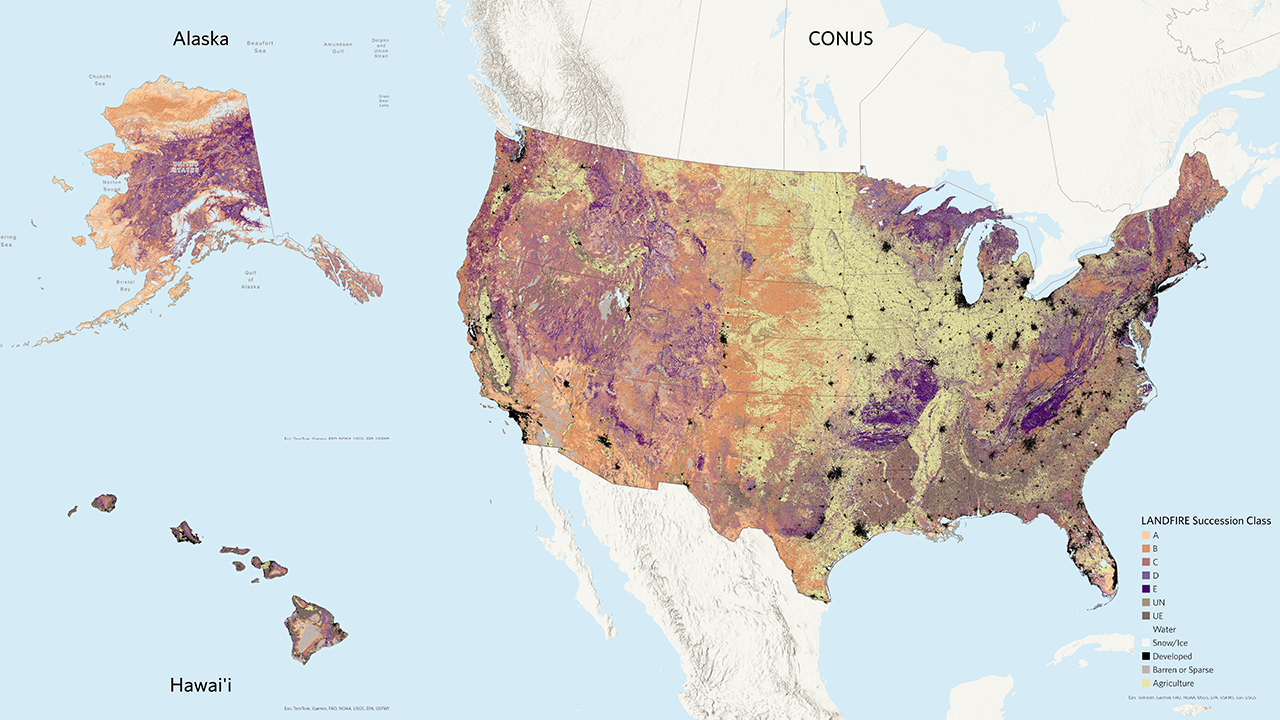
The LANDFIRE Succession Class (SClass) spatial product maps the current condition of vegetation in terms of species composition (leafform and lifeform), percent cover, and the range of heights of each successional state in a Biophysical Setting. Succession classes represent vegetative states with unique dynamics related to succession and disturbances, such as structural development or fire frequency. The succession classes don’t directly measure the fuel characteristics of the current vegetation, but they represent specific stages in plant development or how often fire and other disturbances occur and their likely impact. LANDFIRE uses these classes to describe the current landscape and compare it to historical conditions to calculate Vegetation Departure and Vegetation Condition Class. Classes are defined primarily by combinations of EVC and EVH.
Reference states are identified by a letter (A-E) and represent different stages of vegetation development. Non-reference states are represented by the codes UE, uncharacteristic exotic, and UN, Uncharacteristic Native.
Non-native plants and tree plantations are considered uncharacteristic exotic. Uncharacteristic native vegetation can include conditions such as too much or too little canopy cover relative to the natural range of variability or native species that have migrated out of their normal range. These additional components are not part of the usual variation in the types and structures of plants in a BpS, but they may be present on the current landscape. The BpS description document describes the reference states and provides a set of mapping rules for the reference and uncharacteristic native states.
To produce SClass, mapping rules (opens a pdf) defined by local and regional experts during the original development and subsequent review of each BpS are applied to the relevant current vegetation layers including the Existing Vegetation Type (EVT), Existing Vegetation Cover (EVC), and Existing Vegetation Height (EVH). SClass mapping rules for all BpS are available for download in spreadsheet format.
It is important to understand that the Succession Class dataset alone isn’t incredibly useful. It needs to be combined with the Biophysical Settings Models and Descriptions and the Biophysical Settings spatial data and/or Existing Vegetation data in order to be meaningful. Without a deeper understanding of the underlying Biophysical Setting and its related successional states and a better picture of the current vegetation type, cover, and height, all succession class gives us is a letter without a lot of meaning. Succession Class B for one BpS may be totally different than Succession Class B for another. There are some exceptions where the label may be useful, such as Class A, which is typically the first class in the successional pathway (i.e., result of a replacement disturbance) and classes UN and UE described above. LANDFIRE datasets are designed to be used together to generate the best picture of your landscape condition in the past and present, helping you make a plan for where you want to go in the future.
Key Succession Class attributes include:
- Description: LANDFIRE’s reference succession classes categorized into up to five succession classes, labeled A-E, with each succession class defined in the corresponding Biophysical Settings model. There are two additional classes – UN for uncharacteristic native vegetation type, cover, or height; and UE for uncharacteristic species (invasive or exotic vegetation types).
Linking the Succession Class letter with the other BpS products
Succession Class Definition: Each Succession Class letter corresponds to a specific combination of vegetation cover type and structural stage within a BpS. These combinations are detailed in the BpS description documents in the “Succession Classes” section.
Mapping Rules: The BpS description documents include mapping rules that define how current vegetation conditions are classified into Succession Classes. These rules consider factors such as vegetation height, canopy cover, and species composition. The rules are applied to geospatial layers of existing vegetation to map the current extent of each Succession Class. More detailed rule sets are available in the Succession Class mapping rules spreadsheet (downloads a zip file).
Reference Conditions: The BpS description documents also provide the reference amount for each Succession Class within each BpS, which can be compared to current vegetation conditions. This comparison helps in assessing vegetation departure and condition class. Reference conditions are also available in the reference conditions table (downloads a zip file).
State-and-Transition Models: The Succession Class letters are linked to state-and-transition models that simulate the growth and disturbance dynamics within each BpS. The parameters for the models are in the “Model Parameters” section of the BpS Description and in the BpS Model library. These models provide a quantitative representation of how vegetation transitions between different Succession Classes over time.
Linking the mapped Succession Classes to the other BpS products with the BpS code and succession class letter provides users with information to interpret the succession class map.
Where to find Succession Class data
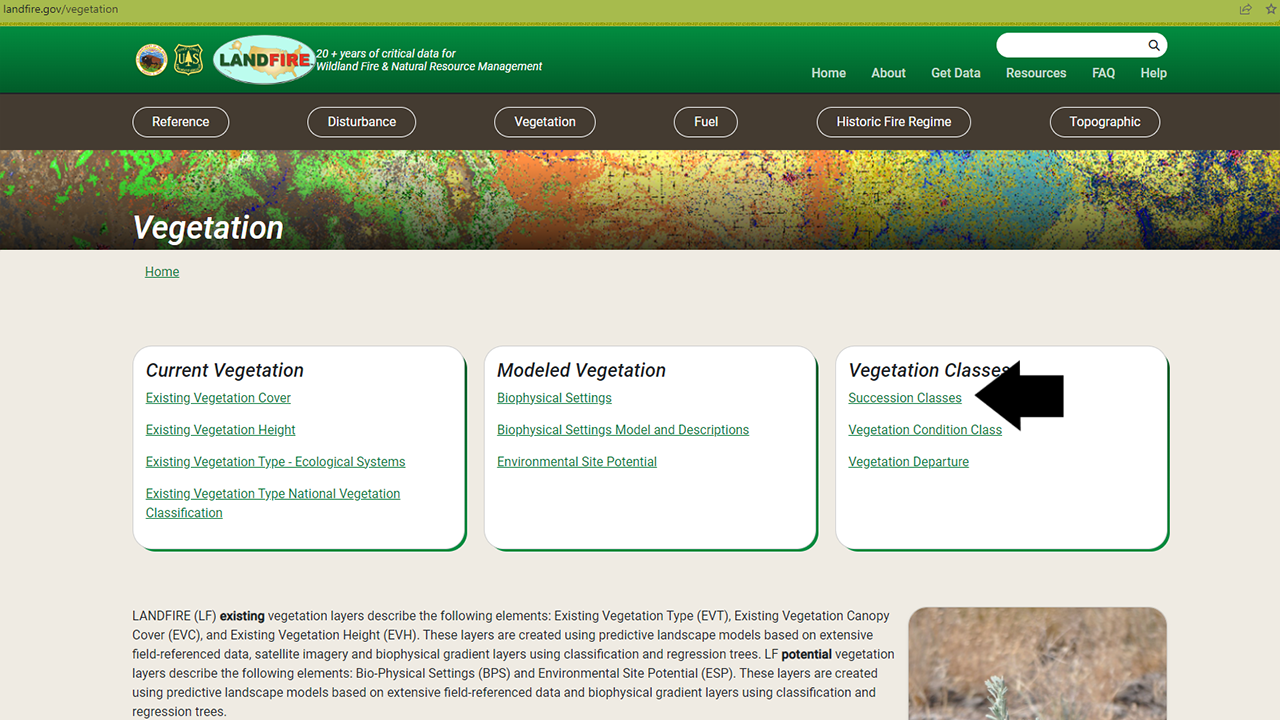
The Succession Class data are included in the Vegetation section of the LANDFIRE Program Website on the Succession Class page.
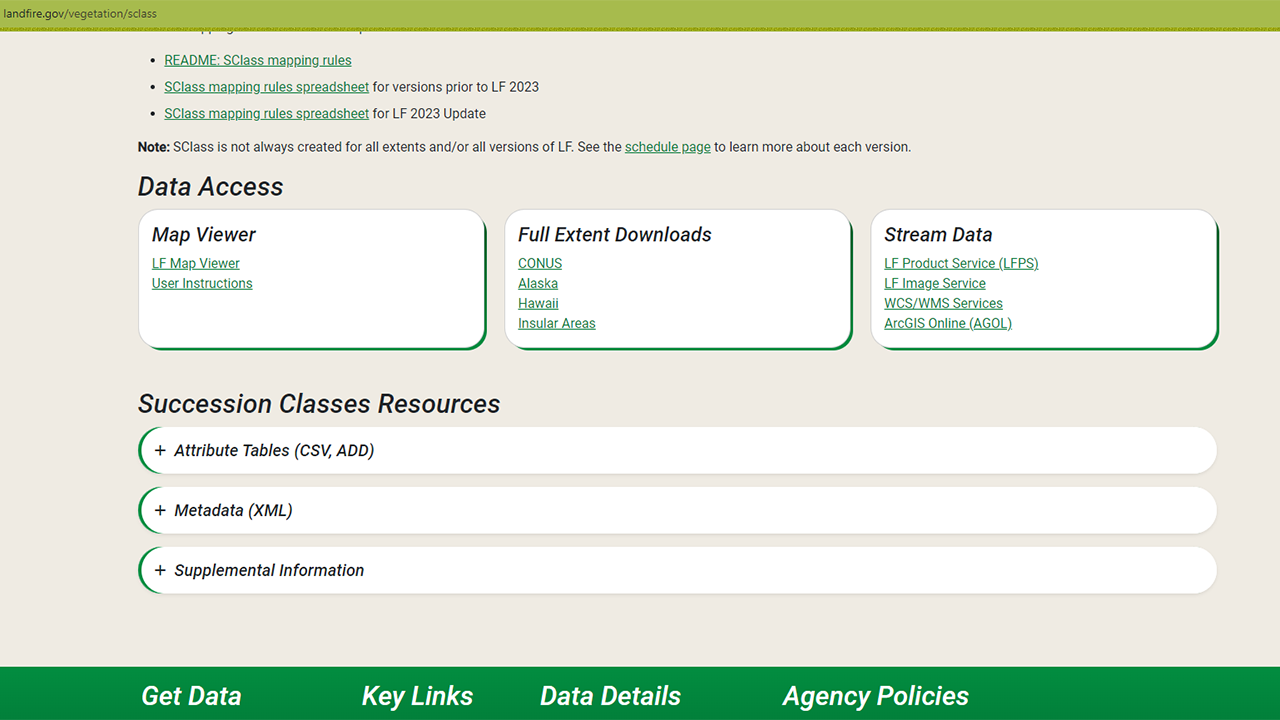
On that page you will find an overview, including the information above along with further details and links to other important documents. Perhaps of most interest are the download links - via the LANDFIRE Map Viewer, full extent downloads, and a variety of ways to stream data into your maps. The page also includes resources such as attribute tables, metadata, and supplemental information.
In a later section of this site, you will learn more about the differences between these download methods and how to access data via each method.
Screenshots of Data Access and Resources on the Succession Class page
Using the rules spreadsheet in Succession Class mapping
Mapping succession classes involves a set of rules covering all possible combinations of input variables. The process includes:
Spatial Overlay: Combining BpS, Existing Vegetation Type, Cover, and Height layers to identify all possible combinations for classification.
Non-Reference Rules: Applying rules based on Existing Vegetation Type to classify non-reference succession classes, such as agriculture or uncharacteristic exotic vegetation.
Reference Rules: For remaining pixels, applying rules based on lifeform, height, and canopy cover to classify reference classes A-E or other categories like uncharacteristic native or sparse.
A visual representation of Succession Class
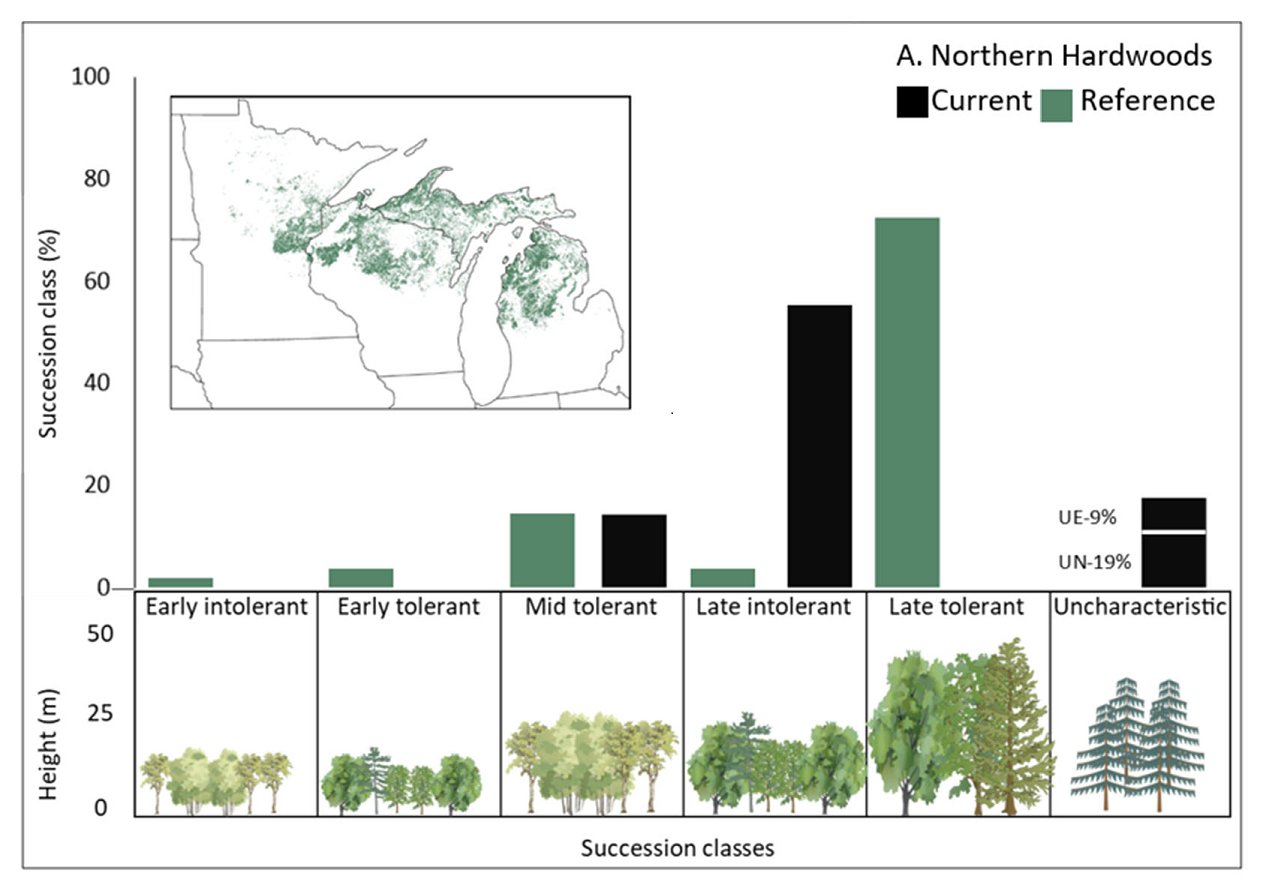
Swaty et al., 2022 provides a visual representation of LANDFIRE succession class data by displaying the distribution of different succession classes across an ecosystem. Showing the proportion of each succession class within different ecosystems helps us understand the current state and progression of vegetation in these areas. This visual representation allows for easy comparison and identification of ecosystems that may be in early, mid, or late stages of succession, highlighting areas that might need conservation or restoration efforts.
Helpful Resources
Succession Class mapping rules documentation (opens a pdf)
Succession Class mapping rules for all natural BpS (opens a zip file)
Reference Conditions Table (downloads a zip file)
The How to Map Successional Stages guide (opens a pdf)
Assessing Ecosystem Condition: Use and Customization of the Vegetation Departure Metric paper from Swaty et al., 2022
The Modifying LANDFIRE Geospatial Data for Local Applications guide
Still have questions? LANDFIRE is here to help.
Ask the LANDFIRE Helpdesk (email link).
Search and subscribe to the LANDFIRE YouTube Channel (see tutorials, Office Hours, quick demonstrations).
Join an Office Hour (monthly meeting with open format Q & A with LANDFIRE experts).
Schedule a meeting (email link) with TNC’s LANDFIRE Team.