Creating a Fire Needs Assessment
An overview of the fire needs assessment process
The Fire Needs Assessment process outlined in this website is organized into three key steps that guide users through understanding historical fire patterns to estimating current fire needs on their landscape. This structure helps users apply LANDFIRE data products in a meaningful way, whether through spatial analysis in ArcGIS or reproducible workflows in R.
Each step builds on the previous one, moving from historical conditions to understanding current vegetation and finally to estimating fire needs. The graphic below illustrates this process.
The Fire Needs Assessment workflow
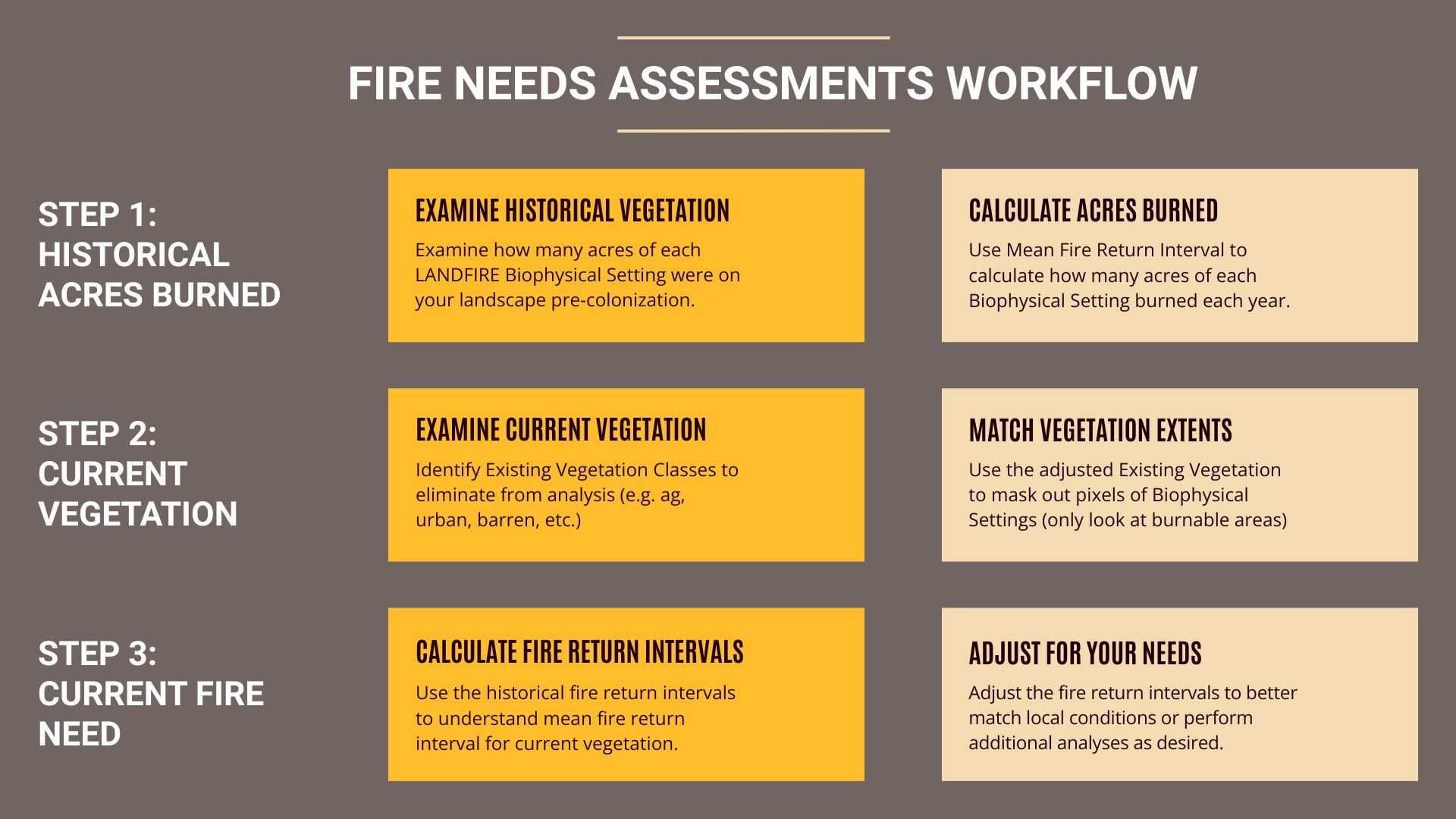
Step 1: Calculate Historical Acres Burned
- Examine Historical Vegetation
- Determine how many acres of each LANDFIRE Biophysical Setting (BPS) were present on the landscape prior to European Colonization.
- Calculate Acres Burned
- Use the Fire Return Interval (FRI) to estimate how many acres of each BPS would have burned annually under historical conditions.
Step 2: Understand Current Vegetation
- Examine Existing Vegetation
- Look at LANDFIRE Existing Vegetation Type (EVT) for your landscape and identify and exclude vegetation classes that are not burnable or relevant to fire needs (e.g. agriculture, urban, barren).
- Match Vegetation Extents
- Use the adjusted EVT layer to mask out non-burnable areas and focus on burnable pixels within each BPS/
Step 3: Calculate Current Fire Need
- Calculate Fire Return Intervals
- Apply historical FRI values to the current vegetation distribution to estimate fire needs under present conditions.
- Adjust for Local Conditions
- Modify fire return intervals based on local knowledge, ecological goals, or additional analysis to better reflect management needs.
Where to go from here?
We have created sections to walk you through the FNA process from start to finish using either ArcGIS Pro and Microsoft Excel or using code in R-studio. Please click a link below or navigate via the top navigation bar to begin exploring the FNA process in the tool of your choice.
- Explore the ArcGIS Pro workflow
- For users working primarily in ArcGIS, this workflow guides you through spatial analysis using ArcGIS Pro geoprocessing tools.
- Explore the R workflow
- For users working in R, this workflow provides reproducible code and documentation for conducting the FNA using R-based tools.
Still have questions? LANDFIRE is here to help.
Ask the LANDFIRE Helpdesk (email link).
Search and subscribe to the LANDFIRE YouTube Channel (see tutorials, Office Hours, quick demonstrations).
Join an Office Hour (monthly meeting with open format Q & A with LANDFIRE experts).
Schedule a meeting (email link) with TNC’s LANDFIRE Team.